Apply GLSL shaders to video and photos
Video Effects applies a GLSL shader of your own to your video or photo, right in your browser. Add the Custom shader effect in the editor, write a fragment shader in Shadertoy's form, void mainImage(out vec4 fragColor, in vec2 fragCoord), and see it on your file as you type; the export carries it at full resolution. Shaders are GLSL ES 3.00, the language of WebGL 2, and nothing you open or write is uploaded.
- GLSL ES 3.00
- Shadertoy-style mainImage
- Live preview
- Full-resolution export
- Nothing uploaded
Your first shader
Open the editor and your file
Open the editor, then open a video or photo of yours, or one of the examples.
Add the Custom shader effect
Choose Add effect, then Custom shader, then Write a shader: the code editor opens beside the picture, with a starter that bends the picture in a wave.
Change the code
Edit it: it compiles about a third of a second after you stop typing, and the picture shows the result. Errors are underlined at their lines, and the picture keeps the last version that compiled.
Export
Choose Done, then export the video as MP4 or WebM, or the photo as PNG, JPEG or WebP, at full resolution, from the Export tab.
The smallest useful shader turns the picture into its negative:
void mainImage(out vec4 fragColor, in vec2 fragCoord) {
  vec2 uv = fragCoord / iResolution.xy;
  vec3 colour = texture(iChannel0, uv).rgb;
  // The picture's negative: every colour turned round.
  fragColor = vec4(1.0 - colour, 1.0);
}
The mainImage function
Write one function, void mainImage(out vec4 fragColor, in vec2 fragCoord), and any helpers it calls. It runs once for every pixel of the output: fragCoord is the pixel's position in pixels from the bottom-left corner (its centre, such as 0.5, 0.5), and what you write to fragColor.rgb is its colour, from 0 to 1. Alpha is ignored: the picture is opaque.
- Leave out
#version,precision,uniformandmainlines: the program round your code declares the inputs and calls mainImage. A#versionline of yours is ignored. - Write floats with a decimal point,
1.0rather than1: GLSL doesn't turn an int into a float by itself. - Constants, helper functions and
#definelines above mainImage are fine.
Inputs
These are the inputs a shader can read. Anything else a Shadertoy shader reads (iTimeDelta, iFrameRate, iDate, iChannel2, iChannel3) isn't declared here, so it doesn't compile.
| Name | Type | What it holds |
|---|---|---|
iChannel0 | sampler2D | The picture at the custom shader's place in the effects: upright, at the output's size, in display (sRGB-encoded) values from 0 to 1, with mipmaps, so textureLod blurs it. Read it with texture(iChannel0, fragCoord / iResolution.xy). |
iChannel1 | sampler2D | The original picture, before any effect: the same way up, at the same size and in the same values as iChannel0. |
iResolution | vec3 | The output's width and height in pixels, and 1. A preview is drawn smaller than the export, so write sizes as shares of it. |
iTime | float | The frame's time in seconds, snapped to its frame, so a paused frame holds still and an export matches the preview frame for frame; 0 for a photo. |
iFrame | int | The frame's number from the start of the video; 0 for a photo. |
iChannelResolution | vec3[2] | Each channel's width and height in pixels, and 1: the output's, for both. |
iMouse | vec4 | Always zero: there is no mouse input, so a Shadertoy shader that reads it compiles and sees the mouse never pressed. |
Colour space
iChannel0 and iChannel1 hold display values: the sRGB-encoded numbers a screen shows, from 0 for black to 1 for white, as a Shadertoy video channel does. Write display values to fragColor too. Mid-grey on screen is about 0.5, not 0.18; to work in linear light, decode with pow(colour, vec3(2.2)) and encode the result with pow(colour, vec3(1.0 / 2.2)).
Your output goes on to the effects after the shader as any picture would, each working in its own colour space (a glow in linear light, grain and scanlines on the display values), so they treat it like the picture itself. The effect's Strength slider (the setting customShader.amount) mixes your result with the picture before it, on the display values: at 100 % you see your shader as written.
Where it sits in the effect order
The custom shader is one card among the effects, and they apply from top to bottom. By default it comes after the effects that read the picture, from Transform to the chroma key (so a screen the key took out reaches it as black), and after the light and colour, glow, vignette, fade, black and white, colour wheels and LUT; it comes before scanlines, grain, the Dither effect, the letterbox and Opacity, so film grain and letterbox bars go over what it draws. Drag its card by the dots before its name to move it: iChannel0 is always the picture as the effects above it left it, and iChannel1 the original.
Because a shader can read any pixel, it runs as a pass of its own: the effects before it are drawn into the picture it reads, and the effects after it read what it wrote.
Add the Custom shader again from Add effect for another shader, up to four: Custom shader 2 to 4 each have their own code, Strength and place, and each reads what the ones above it drew, so a blur shader can feed an edge shader. Agents set them with loadShader(source, { slot: 2 }) or the tool's slot.
Preview and export
- The same shader draws the preview and every export, but the preview is smaller: give sizes as shares of
iResolution(a line0.002 * iResolution.ythick) rather than in pixels, and the export looks like the preview. iTimeis the frame's own time, snapped to the frame, andiFrameits number, so a paused frame holds still and an export matches the preview frame for frame. A photo hasiTime0.- Videos export as MP4 (H.264) or WebM (VP9) at the source's resolution, keeping the sound where the browser can; photos as PNG, JPEG or WebP.
- Your shader stays when you open another file, and Undo and Redo take it back and forth with the rest of the look.
Limits
- GLSL ES 3.00 only, as WebGL 2 runs it: the tool has no WebGPU renderer, so no WGSL.
- One pass, like Shadertoy's Image tab: no buffers (Buffer A to D), no feedback from the frame before, and no sound, keyboard or webcam inputs;
iMouseis always zero. - At most 100,000 characters.
- Give every loop a fixed count. A shader that runs too long, an endless loop say, makes the browser reset the graphics card; the editor then pauses the shader and says so, so the preview that comes back doesn't hang again. Fix it, then run it again.
- A pixel your shader leaves as NaN or infinity, from a division by zero say, shows the picture as it was there.
- The code stays in your browser: a link or copied settings carry only the shader's strength. Save it as a
.glslfile to keep or share it; the editor also keeps your last text in this browser. (An AI agent connected to your editor over MCP sends the shaders it writes through this site, which keeps each call only until your editor answers it.)
Compile errors
The editor compiles as you type and underlines each error at its line, with the compiler's message listed under the code; select one to go to its line. While the code doesn't compile, the picture shows the last version that did. The messages come from your browser's own compiler, as in any WebGL tool.
| The message says | It usually means |
|---|---|
'x' : undeclared identifier | A name used before it is declared, misspelt, or an input this tool doesn't have, such as iDate or iChannel2. |
cannot convert, dimension mismatch | Vectors of different sizes: a vec3 given where a vec4 goes. Match them, as in vec4(colour, 1.0). |
wrong operand types | An int and a float mixed, as in 2 * x: write 2.0 * x. |
'mainImage' : no matching overloaded function found | mainImage has another shape: it must be void mainImage(out vec4 fragColor, in vec2 fragCoord). |
syntax error | A missing semicolon or bracket on that line or the one before it. |
Port a Shadertoy shader
A Shadertoy shader whose Image tab reads only the inputs above works as it is: paste it into the editor, or anywhere on the editor page. Otherwise, go through this list:
- Take the Image tab's code. Buffers (Buffer A to D) aren't run; paste the Common tab's functions above mainImage.
iChannel0is your picture. A shader made for a video or image channel works as it is; one that samples a noise texture or a cubemap needs those replaced by functions.- No flip is needed:
texture(iChannel0, fragCoord / iResolution.xy)is the right way up, as on Shadertoy. - Replace
iTimeDeltawith1.0 / 30.0,iFrameRatewith30.0andiDatewithvec4(0.0, 0.0, 0.0, iTime), and dropiChannel2,iChannel3andiChannelTime. iMouseis always zero: give the shader the position it should use.- Shadertoy's video channels hold display values, as
iChannel0does, so colours come out the same.
Example shaders
Each of these is a starter in the editor's Starters menu: pick it there, or copy it from here.
Wave
Bends the picture in a gentle wave that moves with time.
// A wave across the picture. iChannel0 is the picture at this point in
// your effects, iResolution the output's size in pixels, iTime the time.
void mainImage(out vec4 fragColor, in vec2 fragCoord) {
  vec2 uv = fragCoord / iResolution.xy;
  // How far it bends (a share of the width) and how many waves fit.
  float strength = 0.006;
  float waves = 12.0;
  uv.x += strength * sin(uv.y * waves * 6.2832 + iTime * 2.0);
  fragColor = texture(iChannel0, uv);
}
Posterize
Rounds each colour to a few flat levels, like a screen print.
// Posterize: each channel rounded to five flat levels, like a screen print.
void mainImage(out vec4 fragColor, in vec2 fragCoord) {
  vec3 colour = texture(iChannel0, fragCoord / iResolution.xy).rgb;
  // Steps between black and white: 4 gives five levels.
  float steps = 4.0;
  colour = floor(colour * steps + 0.5) / steps;
  fragColor = vec4(colour, 1.0);
}
Edge glow
Lights the picture's outlines over a darkened copy of it.
// Edge glow: the picture's outlines, lit over a darkened copy of it.
float luma(vec2 uv) {
  return dot(texture(iChannel0, uv).rgb, vec3(0.2126, 0.7152, 0.0722));
}

void mainImage(out vec4 fragColor, in vec2 fragCoord) {
  vec2 uv = fragCoord / iResolution.xy;
  // One pixel of a 1080-line frame, so the lines keep their width at any size.
  vec2 px = vec2(iResolution.y / iResolution.x, 1.0) / 1080.0;
  float tl = luma(uv + px * vec2(-1.0, 1.0));
  float t = luma(uv + px * vec2(0.0, 1.0));
  float tr = luma(uv + px * vec2(1.0, 1.0));
  float l = luma(uv - vec2(px.x, 0.0));
  float r = luma(uv + vec2(px.x, 0.0));
  float bl = luma(uv + px * vec2(-1.0, -1.0));
  float b = luma(uv - vec2(0.0, px.y));
  float br = luma(uv + px * vec2(1.0, -1.0));
  // The Sobel operator: how fast the brightness changes, across and down.
  float gx = tr + 2.0 * r + br - tl - 2.0 * l - bl;
  float gy = tl + 2.0 * t + tr - bl - 2.0 * b - br;
  float edge = smoothstep(0.1, 0.6, length(vec2(gx, gy)));
  vec3 picture = texture(iChannel0, uv).rgb;
  fragColor = vec4(mix(picture * 0.25, vec3(0.55, 0.9, 1.0), edge), 1.0);
}
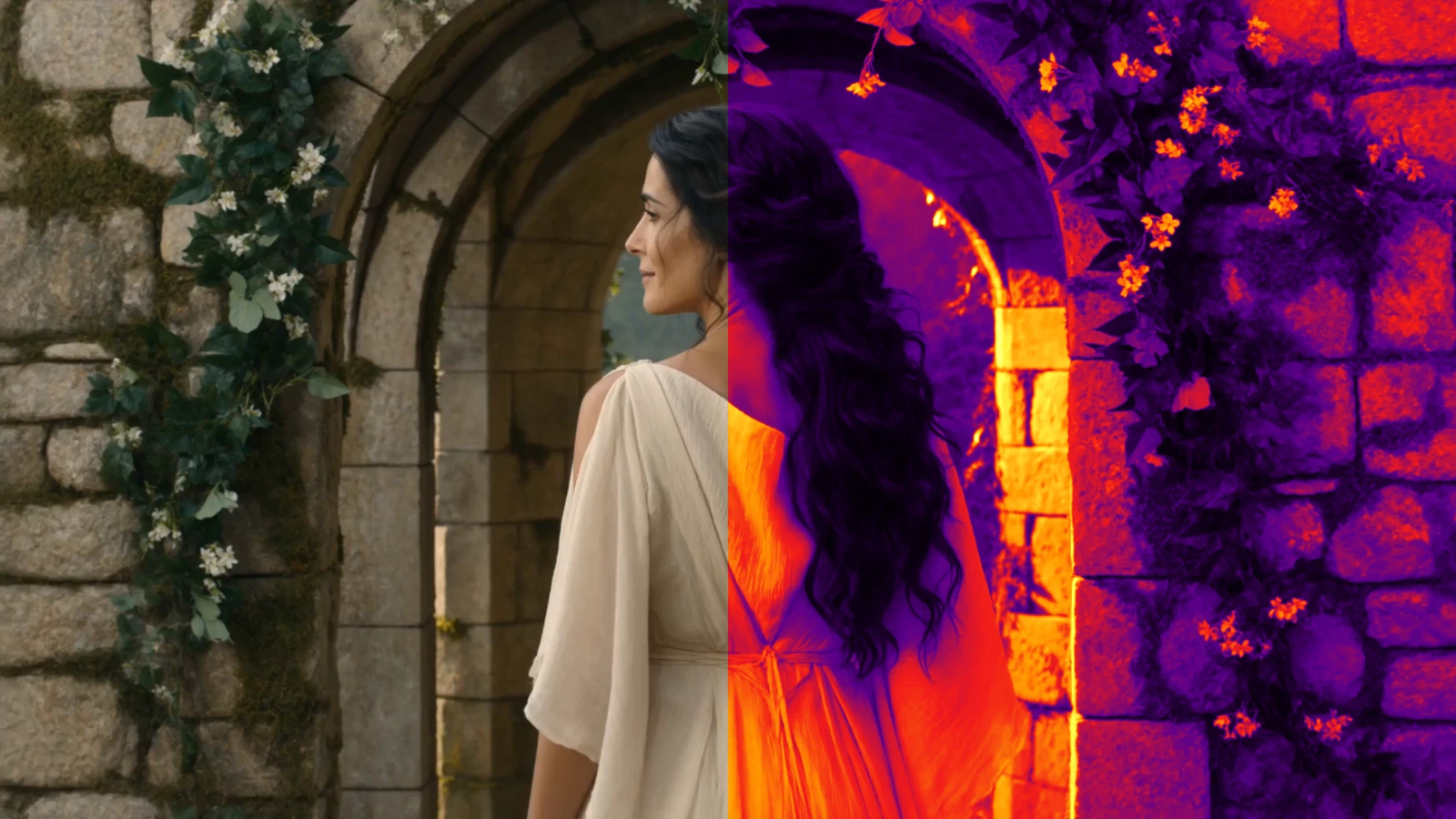
Thermal
Shows the picture's brightness in a heat camera's colours.
// Thermal: the picture's brightness in a heat camera's colours.
vec3 heat(float t) {
  // Black, purple, red, orange, yellow and white, from cold to hot.
  vec3 c = mix(vec3(0.0), vec3(0.35, 0.0, 0.55), smoothstep(0.0, 0.25, t));
  c = mix(c, vec3(0.95, 0.1, 0.1), smoothstep(0.2, 0.5, t));
  c = mix(c, vec3(1.0, 0.6, 0.0), smoothstep(0.45, 0.7, t));
  c = mix(c, vec3(1.0, 1.0, 0.3), smoothstep(0.65, 0.88, t));
  return mix(c, vec3(1.0), smoothstep(0.85, 1.0, t));
}

void mainImage(out vec4 fragColor, in vec2 fragCoord) {
  vec3 colour = texture(iChannel0, fragCoord / iResolution.xy).rgb;
  float brightness = dot(colour, vec3(0.2126, 0.7152, 0.0722));
  fragColor = vec4(heat(brightness), 1.0);
}
Kaleidoscope
Mirrors the picture into slices round its centre, turning slowly.
// Kaleidoscope: the picture mirrored into slices round its centre, turning slowly.
void mainImage(out vec4 fragColor, in vec2 fragCoord) {
  vec2 aspect = vec2(iResolution.x / iResolution.y, 1.0);
  // The pixel's place from the centre, with round circles at any shape of frame.
  vec2 p = (fragCoord / iResolution.xy - 0.5) * aspect;
  float slices = 8.0;
  float slice = 6.2832 / slices;
  float angle = mod(atan(p.y, p.x) + iTime * 0.15, slice);
  // Each slice mirrored about its middle, so the edges meet.
  angle = abs(angle - slice * 0.5);
  vec2 q = vec2(cos(angle), sin(angle)) * length(p);
  fragColor = texture(iChannel0, q / aspect + 0.5);
}
Duotone
Paints the shadows in one colour and the highlights in another.
// Duotone: the shadows in one colour and the highlights in another.
void mainImage(out vec4 fragColor, in vec2 fragCoord) {
  vec3 colour = texture(iChannel0, fragCoord / iResolution.xy).rgb;
  float brightness = dot(colour, vec3(0.2126, 0.7152, 0.0722));
  // Change these two to pick the colours (red, green and blue, 0 to 1).
  vec3 shadows = vec3(0.10, 0.05, 0.30);
  vec3 highlights = vec3(1.00, 0.55, 0.45);
  fragColor = vec4(mix(shadows, highlights, smoothstep(0.05, 0.95, brightness)), 1.0);
}
Write one with an AI agent
ChatGPT, Claude and other AI agents write GLSL well when they know the rules. Copy this prompt, paste it into your agent and describe the effect you want after it, then paste the agent's reply anywhere on the editor page: the shader loads, its code fence taken off. In the editor, Copy prompt for your AI agent adds your current code and its compile errors, so the agent can change or fix it.
Write a custom shader for Video Effects (https://video-effects.jingfu.design/editor), a free in-browser video editor. Full reference: https://video-effects.jingfu.design/docs/shaders
- GLSL ES 3.00 in Shadertoy's form: write void mainImage(out vec4 fragColor, in vec2 fragCoord) and any helpers it needs. No #version, precision, uniform or main lines: the editor adds them.
- Inputs: iChannel0 (sampler2D: the picture at this point in the effects, display values 0 to 1, mipmapped), iChannel1 (sampler2D: the original picture, before any effect), iResolution (vec3: the output size in pixels), iTime (float: the frame's time in seconds), iFrame (int: the frame's number), iChannelResolution (vec3[2]: each channel's size), iMouse (vec4: always zero).
- Read the picture with texture(iChannel0, fragCoord / iResolution.xy); fragColor.rgb is the result, 0 to 1 (alpha is ignored).
- Give sizes as shares of iResolution: the preview is drawn smaller than the export.
- Give every loop a fixed count: a shader that runs too long makes the browser reset the graphics card.
Reply with the shader alone, in one glsl code block.

The effect I want: Scripts and AI agents that drive the page set a shader themselves, with window.videoEffects.loadShader(), the WebMCP tool video_effects_load_shader or the command line's --shader: see the guide for agents.
Questions
- Can I use my own video or photo in a Shadertoy shader?
- Yes. In Video Effects your file is the shader's iChannel0: open it in the editor, add the Custom shader effect and paste or write the shader there. It runs in your browser on the full-resolution file, and the export carries the result.
- How do I apply a GLSL shader to a video and save the result?
- Open the editor, open your video, add the Custom shader effect and write or paste the shader in its code editor. When the preview looks right, export from the Export tab: MP4 or WebM at the video's full resolution, with its sound where the browser allows.
- Will a Shadertoy shader work as it is?
- Often. A single-pass shader that reads its video channel as iChannel0, iResolution, iTime, iFrame or iMouse works unchanged. Buffers, sound, the keyboard, iChannel2, iChannel3, iTimeDelta and iDate aren't available; the porting list on this page says what to change.
- Why won't my shader compile?
- The editor shows the compiler's errors at your lines. The usual causes are an int where GLSL wants a float (write 1.0, not 1), vectors of different sizes, an input this tool doesn't have, or a mainImage of another shape. Until it compiles, the picture shows the last version that did.
- Can ChatGPT or Claude write a shader for my video?
- Yes. Copy the prompt on this page or in the editor, add what you want, and paste the agent's reply anywhere on the editor page. The prompt gives the agent the inputs and the rules, and the editor's copy adds your code and its errors so the agent can fix them.
- Is my video uploaded?
- No. Your video and its export stay on your device, and so does a shader you write or paste in the editor: your browser compiles it and your graphics card runs it, and a link or copied settings carry only its strength.
- Why does the export look different from the preview?
- Usually because the shader measures in pixels: the preview is drawn smaller than the export, so a line 3 pixels thick looks thicker in the preview than in a 4K export. Give sizes as shares of iResolution and they match. Time-based shaders use the frame's own time, so they match frame for frame.
- What colour space is iChannel0 in?
- Display values, sRGB-encoded, from 0 to 1, as on Shadertoy. Write display values to fragColor; to work in linear light, decode with pow(colour, vec3(2.2)) and encode with pow(colour, vec3(1.0 / 2.2)).