Make your own video effects: effect packages
An effect package is one .zip file that adds an effect of your own to Video Effects: a GLSL shader that changes the picture, a React component drawn over it, or both, with the sliders, switches, colours and text fields its effect.json declares. Drop it on the editor and it becomes an effect card with those controls, previewed live and exported at full resolution. Nothing you load or open is uploaded.
- One .zip file
- GLSL shader + React component
- Controls of its own
- Live preview
- Nothing uploaded
Your first package
Download an example
Take one of the example packages below, say the Camcorder: a shader and a component with four controls.
Open the editor and your file
Open the editor and open a video or photo of yours, or one of the examples.
Drop the .zip on the page
Drop it anywhere on the editor, or choose Add effect, then Custom shader, then Load an effect package (.zip). The card shows the package's name and its controls.
Change it
Unzip it, change
effect.json,effect.glslorcomponent.jsxin any text editor and zip the folder again. Load the new .zip with the folder button on the package's card: it takes the old one's place.Export
Export the video as MP4 or WebM, or the photo as PNG, JPEG or WebP, at full resolution, from the Export tab: the package is in every frame.
What a package holds
A package is a .zip of a few files, effect.json at its root. A .zip of a folder that holds them (what Compress makes on a Mac) works too, and an archiver's leftovers (__MACOSX, .DS_Store) are ignored.
| File | What it is |
|---|---|
effect.json | Required. The manifest: the effect's name, its parameters, and which files are its shader and component. Its fields are below; its JSON Schema is /effect.schema.json. |
effect.glsl | A shader that changes the picture: GLSL ES 3.00 in the Custom shader's Shadertoy form, void mainImage(out vec4 fragColor, in vec2 fragCoord). Another name if effect.json's shader says so. |
component.jsx, component.tsx, component.js, component.ts | A React component drawn over the picture: JSX or TSX in the Custom component's form, a Remotion composition. Another name if effect.json's component says so. |
| Images | PNG, JPEG or WebP files the shader samples, each listed in effect.json's images. |
| Anything else | Images, fonts or data the component reads with staticFile("path"). |
A package needs a shader, a component or both. One with a component alone draws the picture as it is, with the component over it.
effect.json
{
  "$schema": "https://video-effects.jingfu.design/effect.schema.json",
  "format": 1,
  "name": "Light leak",
  "description": "A warm glow that drifts across the frame.",
  "author": "Your name",
  "version": "1.0.0",
  "shader": "effect.glsl",
  "parameters": [
    { "id": "glow", "label": "Glow", "type": "number", "min": 0, "max": 100, "default": 60, "unit": "%" },
    { "id": "tint", "label": "Colour", "type": "colour", "default": "#ff8a3d" }
  ]
}
| Field | What it holds |
|---|---|
format | Required: 1, the version of this format. A package of a later format is refused with a sentence saying so. |
name | Required: what the card shows, up to 80 characters. |
description, author, version | Optional words the card shows under the name. |
shader, component | Optional: the files that are the shader and the component. Left out, effect.glsl and the first of component.jsx, component.tsx, component.js, component.ts that the package has. |
parameters | Optional: the controls, up to 24 (below). |
images | Optional: up to 3 images the shader samples: { "name": "uLeak", "file": "leak.png", "filter": "linear", "wrap": "clamp" }. name is the sampler's name in the shader; filter is linear (mipmapped) or nearest; wrap is clamp, repeat or mirror. |
$schema | Optional: the schema's URL, for editors that check JSON as you type. |
Any other field is ignored (agents see which in the package's warnings). A mistake in a field refuses the package with a sentence naming it, such as parameters[2].min must be below its max.
Parameters
Each parameter is a control on the effect's card, and a value both the shader and the component read by its id. Every parameter has an id, a type, and an optional label (the id if left out), description (the control's tooltip) and default.
| Type | Its fields | On the card | In the shader | In the component |
|---|---|---|---|---|
number | min and max (required), default (min), step, unit | A slider and its value | uniform float, the value as set | A number |
boolean | default (false) | A switch | uniform bool | true or false |
choice | choices: 2 to 12 names; default: a name or its place from 0 | A row of buttons | uniform int, the place from 0 | The place from 0 |
colour (or color) | default: "#rrggbb" or "#rgb" | A colour well | uniform vec3, display values from 0 to 1 | "#rrggbb" |
text | default, maxLength (200; 500 at most), multiline | A text field | None: text is the component's | A string |
- An
idis a GLSL name: a letter, then letters, digits or_, 32 at most. It can't be a GLSL word (float,in,textureis a function name and fails to compile), one of the shader's inputs (iTime,iChannel0, …), start withgl_orveand a capital, or be a prop the component is given anyway (frame,time,fps,durationInFrames,width,height). - The shader gets the uniforms declared for it: don't declare them yourself.
- A change to a parameter on the card is one undo step, and agents set them with
setEffectParameters(below). Their values stay with the package in the editor: a link or settings JSON carries only the effect's strength.
The shader
A package's shader is written exactly as a Custom shader: void mainImage(out vec4 fragColor, in vec2 fragCoord) reading the picture as iChannel0, with iResolution, iTime and the rest. Its parameters and images are uniforms beside them, by their names:
// effect.json declares "glow" (a number) and "tint" (a colour):
// the editor declares them as uniforms before your code.
void mainImage(out vec4 fragColor, in vec2 fragCoord) {
  vec3 picture = texture(iChannel0, fragCoord / iResolution.xy).rgb;
  fragColor = vec4(mix(picture, tint, glow / 100.0 * 0.3), 1.0);
}
- An image is a
sampler2Dread the way upiChannel0is:texture(uLeak, uv)withuvfrom 0 at the bottom left to 1 at the top right. Its colours are display values, its alpha straight. UsetextureSize(uLeak, 0)for its size. - A colour parameter's
vec3holds display values from 0 to 1, asiChannel0's do, somix(picture, tint, 0.5)looks as it reads. - Edit shader on the card opens the package's shader in the editor, its parameters and images still declared: a change there stays with this package until another is loaded.
The component
A package's component is written exactly as a Custom component: a React component written as a Remotion composition, importing from "react" and "remotion", laid out with the video's shorter side 1080 pixels. It is drawn over the shader's result, in the same step, each frame. A package's component also gets:
- Its parameters as props, by id, beside the frame's own (
frame,time,fps,durationInFrames,width,height), and all of them fromgetInputProps(), as a Remotion composition gets its input props. staticFile("logo.png"): a file of the package (looked for at that path, then underpublic/, as Remotion's public folder) as adata:URL for an<Img>, an<img>, or a font's@font-facein a<style>. The component's sandbox loads nothing from the network, so a font the computer doesn't have is drawn only if the package carries it.AbsoluteFillis the frame's whole size, as Remotion's is, so padding it makes it larger than the frame: give itboxSizing: "border-box"first, as the examples do.
// effect.json declares "title" (text) and "accent" (a colour):
// each is a prop, and getInputProps() gives them all.
import { AbsoluteFill, staticFile, useCurrentFrame, interpolate } from "remotion";

export default function Title({ title, accent }) {
  const frame = useCurrentFrame();
  const opacity = interpolate(frame, [0, 20], [0, 1], { extrapolateRight: "clamp" });
  return (
    <AbsoluteFill style={{ justifyContent: "center", alignItems: "center", opacity }}>
      <img src={staticFile("logo.png")} style={{ width: 160 }} />
      <h1 style={{ color: accent, fontSize: 110 }}>{title}</h1>
    </AbsoluteFill>
  );
}
It runs in the Custom component's sandbox, a frame of its own with no network, and never sees the video's pixels. A frame it fails to draw is drawn without it (the card says which frame first); one that takes too long pauses it, with Run it again on the card.
In the editor
- A package takes a Custom shader slot: a look may hold 4 (Custom shader, then Custom shader 2 to 4), each a shader or a package. A dropped package goes to the first Custom shader card with nothing set, adding one if none is shown, else in the first's place; a card's own Load an effect package (.zip) puts it there.
- By default it applies after the LUT and before scanlines, grain, the letterbox and Opacity, so a camcorder's text is grained with the picture. Drag its card by its handle to move it: last, the component draws over everything.
- The card's Strength mixes the whole effect, shader and component together, from none (0) to all (100).
- It stays when another file is opened, and undo and redo take it back and forth with the rest of the look. A reload forgets it, as it forgets a LUT: load it again.
- Remove it with the card's ×, or load a .glsl shader or another package in its place.
Making the .zip
- On a Mac, select the files (or their folder) in Finder and choose Compress.
- On Windows, select them and choose Send to, then Compressed (zipped) folder.
- In a terminal, from the folder that holds them:
cd my-effect
zip -r ../my-effect.zip .
Plain .zip files are read, compressed or not; encrypted ones and ZIP64 (for archives of over 4 GB) aren't. There is nothing to build: the editor compiles the component's JSX or TypeScript itself, so a package is its source files as you wrote them. Keep the component in one file, importing only from "react" and "remotion".
Limits
| What | At most |
|---|---|
| The .zip | 32 MB |
| Files in it | 200 |
| One file, unzipped | 16 MB |
| All files, unzipped | 48 MB |
| Parameters | 24 |
| Images the shader samples | 3, each 4,096 px on its longer side |
| The shader | 100,000 characters |
| The component | 100,000 characters |
| A choice's choices | 12 |
| A text parameter | 500 characters |
When a package is refused
A package that can't be used is refused whole, with a message saying why, and the card keeps what it had. The usual ones:
| The message says | What to do |
|---|---|
| it has no effect.json at its root | Zip the files themselves, or a folder that holds them, not a folder of folders. |
| needs "format": 1 | Add "format": 1 to effect.json. |
| parameters[n]… or images[n]… | Fix that field: the message names it and what it must be. |
| The effect package's shader doesn't compile | The compiler's errors follow, at your shader's own lines, as in the shader editor. |
| The effect package's component doesn't work | Its errors follow, at your component's lines: a syntax error, an import of anything but "react" and "remotion", or an error drawing its first frame. |
| This isn't a .zip archive | The file is damaged, or isn't a .zip: zip it again. |
Privacy and safety
- Nothing is uploaded: the .zip is read in your browser, its shader runs on your graphics card and its component in a sandbox on your computer.
- A package's JavaScript can only be a React component, and it runs where the Custom component's runs: a frame sandboxed apart from the page, with no cookies or storage, a policy that lets it load and send nothing, and a worker stopped if a frame runs too long. It is given each frame's number, time and size and the package's own parameters and files, never the video, its name or your account.
- A package is kept only in the look you're editing. Links and copied settings carry its strength, never the package, so share the .zip itself.
- Load packages from people you trust, as you would any file: a package can't reach your files, but it can draw anything over your video, which you see before you export.
For scripts and AI agents
Scripts and AI agents that drive the editor load a package with window.videoEffects.loadEffect() (a .zip File or Blob, { url } of one, or the package written out as JSON) and set its parameters with setEffectParameters(); the WebMCP and MCP tools are video_effects_load_effect and video_effects_set_effect_parameters. getStatus().shaders[n].package describes each package set, its parameters with their values. The guide for agents has the details.
// A .zip from a URL (https with CORS), at the first custom shader slot:
const info = await window.videoEffects.loadEffect({ url: "https://example.com/light-leak.zip" });
info.package.parameters; // [{ id: "glow", type: "number", value: 60, … }, …]

// Its parameters, by id: a number is clamped, a choice taken by name or place.
await window.videoEffects.setEffectParameters({ glow: 85, tint: "#ffd27a" });

// Or the package written out, no .zip needed, at slot 2:
await window.videoEffects.loadEffect(
  {
    manifest: { format: 1, name: "Tint", parameters: [{ id: "tint", type: "colour", default: "#3aa0ff" }] },
    shader: "void mainImage(out vec4 c, in vec2 p) { c = vec4(texture(iChannel0, p / iResolution.xy).rgb * tint, 1.0); }",
  },
  { slot: 2 },
);
Example packages
Three working packages to download, try and take apart: one with a component alone, one with a shader alone, one with both.
Lower third
Download the .zipA name and a role on a coloured bar that slides in from the side: a component alone, with text, colour, choice and number parameters.
effect.json{
"$schema": "https://video-effects.jingfu.design/effect.schema.json",
"format": 1,
"name": "Lower third",
"description": "A name and a role on a coloured bar that slides in and out.",
"version": "1.0.0",
"component": "component.jsx",
"parameters": [
{
"id": "name",
"label": "Name",
"type": "text",
"default": "Ada Lovelace",
"maxLength": 60
},
{
"id": "role",
"label": "Role",
"type": "text",
"default": "Analyst",
"maxLength": 80
},
{
"id": "accent",
"label": "Accent",
"type": "colour",
"default": "#ffb547"
},
{
"id": "side",
"label": "Side",
"type": "choice",
"choices": [
"Left",
"Right"
],
"default": "Left"
},
{
"id": "size",
"label": "Size",
"type": "number",
"min": 60,
"max": 160,
"default": 100,
"step": 1,
"unit": "%"
}
]
}
component.jsx// A lower third: a name and a line under it on a coloured bar, sliding in
// from the side and out again at the end. Its words, colour, side and size
// are the package's parameters, given as props (and by getInputProps()).
import { AbsoluteFill, interpolate, spring, useCurrentFrame, useVideoConfig } from "remotion";
export default function LowerThird({ name, role, accent, side, size }) {
const frame = useCurrentFrame();
const { fps, durationInFrames } = useVideoConfig();
// A photo is one frame: show the bar as it ends up.
const still = durationInFrames <= 1;
const enter = still ? 1 : spring({ frame, fps, config: { damping: 200 } });
const exit = still
? 0
: interpolate(frame, [durationInFrames - 1 - fps / 2, durationInFrames - 1], [0, 1], {
extrapolateLeft: "clamp",
extrapolateRight: "clamp",
});
const scale = size / 100;
const right = side === 1;
const shift = (1 - enter + exit) * 120 * (right ? 1 : -1);
return (
// border-box: AbsoluteFill is the frame's whole size, so its padding goes inside it.
<AbsoluteFill
style={{ boxSizing: "border-box", justifyContent: "flex-end", alignItems: right ? "flex-end" : "flex-start", padding: 96 * scale }}
>
<div
style={{
opacity: enter * (1 - exit),
transform: `translateX(${shift}px)`,
borderLeft: right ? "none" : `${10 * scale}px solid ${accent}`,
borderRight: right ? `${10 * scale}px solid ${accent}` : "none",
background: "rgba(10, 10, 10, 0.72)",
padding: `${18 * scale}px ${28 * scale}px`,
textAlign: right ? "right" : "left",
}}
>
<div style={{ fontSize: 56 * scale, fontWeight: 700, color: "white", lineHeight: 1.1 }}>{name}</div>
<div style={{ marginTop: 6 * scale, fontSize: 32 * scale, color: accent }}>{role}</div>
</div>
</AbsoluteFill>
);
}
Light leak
Download the .zipA warm glow drifting across the frame, as light strays into an old film camera: a shader alone, with number and colour parameters.
effect.json{
"$schema": "https://video-effects.jingfu.design/effect.schema.json",
"format": 1,
"name": "Light leak",
"description": "A warm glow that drifts across the frame.",
"version": "1.0.0",
"shader": "effect.glsl",
"parameters": [
{
"id": "glow",
"label": "Glow",
"type": "number",
"min": 0,
"max": 100,
"default": 60,
"unit": "%"
},
{
"id": "tint",
"label": "Colour",
"type": "colour",
"default": "#ff8a3d"
},
{
"id": "speed",
"label": "Speed",
"type": "number",
"min": 0,
"max": 4,
"default": 1,
"step": 0.1
}
]
}
effect.glsl// A light leak: a warm glow that drifts across the frame, as when light
// strays into an old film camera. Its glow, colour and speed are the
// package's parameters, which the shader reads by their ids.
void mainImage(out vec4 fragColor, in vec2 fragCoord) {
vec2 uv = fragCoord / iResolution.xy;
vec3 picture = texture(iChannel0, uv).rgb;
// Two soft blobs that wander with time: positions in shares of the frame.
float t = iTime * speed * 0.2;
vec2 a = vec2(0.15 + 0.25 * sin(t * 1.3), 0.7 + 0.2 * cos(t * 0.9));
vec2 b = vec2(0.85 + 0.15 * cos(t * 0.7), 0.25 + 0.25 * sin(t * 1.1));
vec2 aspect = vec2(iResolution.x / iResolution.y, 1.0);
float light = exp(-6.0 * dot((uv - a) * aspect, (uv - a) * aspect));
light += 0.7 * exp(-9.0 * dot((uv - b) * aspect, (uv - b) * aspect));
// Screen blend: light added, never darkening.
vec3 leak = tint * light * (glow / 100.0);
fragColor = vec4(1.0 - (1.0 - picture) * (1.0 - leak), 1.0);
}
Camcorder
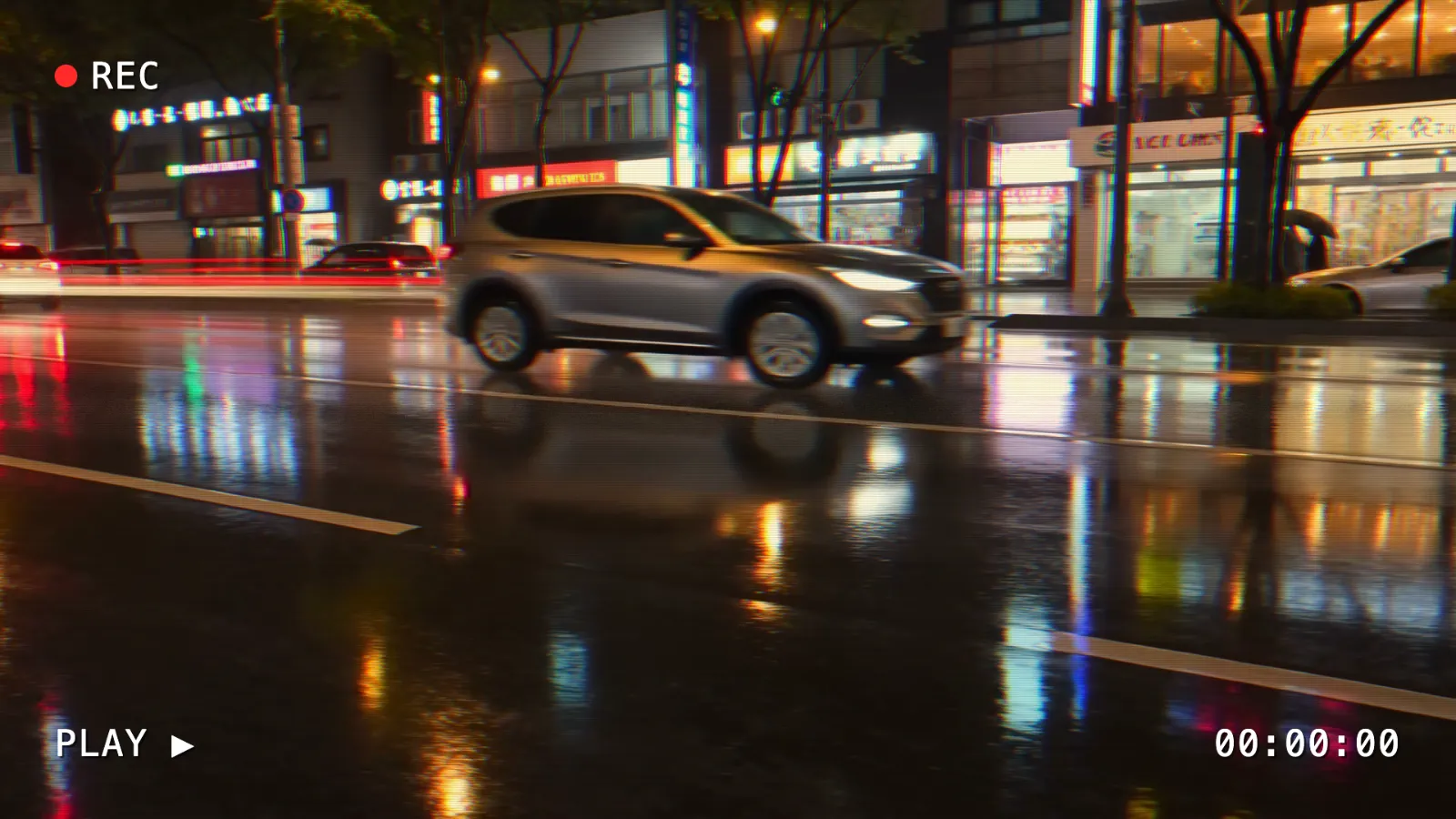
Download the .zipA home video's look: bleeding colours, rolling tracking noise and scanlines from the shader, a blinking REC and a running clock from the component.
effect.json{
"$schema": "https://video-effects.jingfu.design/effect.schema.json",
"format": 1,
"name": "Camcorder",
"description": "Tape colour bleed and tracking noise, with REC and a clock on screen.",
"version": "1.0.0",
"shader": "effect.glsl",
"component": "component.jsx",
"parameters": [
{
"id": "tracking",
"label": "Tracking noise",
"type": "number",
"min": 0,
"max": 100,
"default": 40,
"unit": "%"
},
{
"id": "warm",
"label": "Warm tape",
"type": "boolean",
"default": true
},
{
"id": "label",
"label": "Label",
"type": "text",
"default": "PLAY ▶",
"maxLength": 40
},
{
"id": "showDate",
"label": "Clock",
"type": "boolean",
"default": true
}
]
}
effect.glsl// A camcorder's picture: colours bleeding sideways, a band of tracking
// noise rolling down, and soft scanlines. "tracking" sets how much.
float hash(vec2 p) {
return fract(sin(dot(p, vec2(12.9898, 78.233))) * 43758.5453);
}
void mainImage(out vec4 fragColor, in vec2 fragCoord) {
vec2 uv = fragCoord / iResolution.xy;
float amount = tracking / 100.0;
// The rolling band: a stretch of rows shifted sideways, with noise.
float band = smoothstep(0.06, 0.0, abs(fract(uv.y + iTime * 0.15) - 0.5));
float shift = band * amount * 0.01 * (hash(vec2(floor(fragCoord.y / 2.0), floor(iTime * 24.0))) - 0.5);
// Red and blue pulled apart, as a cheap tape's chroma is.
float bleed = 0.0025 * (0.4 + amount);
vec3 colour;
colour.r = texture(iChannel0, uv + vec2(shift + bleed, 0.0)).r;
colour.g = texture(iChannel0, uv + vec2(shift, 0.0)).g;
colour.b = texture(iChannel0, uv + vec2(shift - bleed, 0.0)).b;
colour += band * amount * 0.15 * hash(fragCoord + iTime);
// Scanlines at a 1080-line frame's pitch, whatever the output's size.
float line = 0.94 + 0.06 * sin(uv.y * 1080.0 * 3.14159);
colour *= line;
if (warm) colour *= vec3(1.05, 1.0, 0.9);
fragColor = vec4(colour, 1.0);
}
component.jsx// The camcorder's screen text: a blinking REC, the clock running from the
// date on the parameters, and a label. Monospace, as camcorders drew it.
import { AbsoluteFill, useCurrentFrame, useVideoConfig } from "remotion";
const pad = (value) => String(Math.floor(value)).padStart(2, "0");
export default function Camcorder({ label, showDate }) {
const frame = useCurrentFrame();
const { fps } = useVideoConfig();
const seconds = frame / fps;
const blink = Math.floor(seconds * 2) % 2 === 0;
const text = {
fontFamily: "ui-monospace, Menlo, Consolas, monospace",
fontSize: 48,
color: "white",
textShadow: "3px 3px 0 rgba(0, 0, 0, 0.6)",
letterSpacing: 2,
};
return (
<AbsoluteFill style={{ boxSizing: "border-box", padding: 72 }}>
<div style={{ ...text, display: "flex", alignItems: "center", gap: 18 }}>
<span style={{ width: 30, height: 30, borderRadius: 15, background: blink ? "#ff2a2a" : "transparent" }} />
REC
</div>
<div style={{ ...text, position: "absolute", left: 72, bottom: 72 }}>{label}</div>
{showDate ? (
<div style={{ ...text, position: "absolute", right: 72, bottom: 72 }}>
{pad(seconds / 3600)}:{pad((seconds / 60) % 60)}:{pad(seconds % 60)}
</div>
) : null}
</AbsoluteFill>
);
}
Make one with an AI agent
ChatGPT, Claude and other AI agents write packages well when they know the format. Copy this prompt, paste it into your agent and describe the effect you want after it. A chat agent replies with the package's files in code blocks: paste the whole reply anywhere on the editor page and the package loads. An agent that can run commands, such as Claude Code or Codex, writes the files and zips them.
Make an effect package for Video Effects (https://video-effects.jingfu.design/editor), a free in-browser video editor: an effect with controls of its own. Full reference: https://video-effects.jingfu.design/docs/effects
- effect.json (format 1; JSON Schema https://video-effects.jingfu.design/effect.schema.json): { "format": 1, "name", "description", "version", "parameters": [...] }. Each parameter: { "id" (a GLSL name), "label", "type": number (min, max, default, step, unit) | boolean | choice (choices, default) | colour (default "#rrggbb") | text (default, maxLength), "description" }, 24 at most.
- effect.glsl (optional): GLSL ES 3.00 in Shadertoy's form, void mainImage(out vec4 fragColor, in vec2 fragCoord), with no #version, precision, uniform or main lines. Inputs: iChannel0 (the picture at this point in the effects, display values 0 to 1, mipmapped), iChannel1 (the original picture, before any effect), iResolution (the output size in pixels), iTime (the frame's time in seconds), iFrame (the frame's number), iChannelResolution (each channel's size), iMouse (always zero). Each parameter is a uniform of its id: number → uniform float, boolean → uniform bool, choice → uniform int, colour → uniform vec3, text → none (the component only); a colour is its display values, 0 to 1. Give sizes as shares of iResolution, and every loop a fixed count.
- component.jsx (optional): a React component written as a Remotion composition, drawn over the shader's result each frame, with a transparent background. Import only from "react" and "remotion" (useCurrentFrame, useVideoConfig, interpolate, spring, Easing, AbsoluteFill, Sequence, Img, staticFile, getInputProps). Each parameter is a prop of its id (and in getInputProps()); staticFile("name.png") gives a file of the package. It is laid out with the video's shorter side 1080 px (AbsoluteFill is the frame's whole size: give it boxSizing "border-box" before padding it), never sees the video's pixels, and has no network: drive every change from useCurrentFrame(), never timers, fetch or CSS animations.
- A package needs a shader, a component or both. Images the shader samples are listed in effect.json's "images": [{ "name": a sampler2D's name, "file" }].
Reply with each file in a fenced code block whose info string is its language and its file name (```json effect.json, ```glsl effect.glsl, ```jsx component.jsx), and nothing else: the editor loads them when the reply is pasted on its page. If you can write files and run commands, write them into a folder and zip it instead (zip -r my-effect.zip .), then load the .zip in the editor.

The effect I want: Questions
- What is an effect package?
- One .zip file that adds an effect of your own to Video Effects: an effect.json that names it and declares its controls, with a GLSL shader that changes the picture, a React component drawn over it, or both. The editor shows it as a card with those controls and draws it in the preview and every export.
- How do I add a custom effect to my video?
- Open the editor and your video, then drop the package's .zip anywhere on the page, or choose Add effect, then Custom shader, then Load an effect package (.zip). Set its controls on its card, then export from the Export tab.
- Does a package need both a shader and a component?
- No. A shader alone changes the picture (a colour look, a distortion), a component alone draws over it (a title, a lower third), and a package with both does both in one effect, with one set of controls.
- Can a package run any JavaScript?
- Only a React component, and only in a sandbox: a frame apart from the page with no network, no cookies and no storage. It is given the frame's number, time and size and the package's own parameters and files, never your video or your account.
- Can I share a package?
- Yes: send the .zip. A link or copied settings carry only the effect's strength, never the package, so whoever opens your link loads the package themselves.
- Why is my package gone after a reload?
- A package is kept only in the look you're editing, as a LUT is, and a reload starts a new look. Drop the .zip again. Its parameters start at their defaults.
- Why does my package's text look different on another computer?
- A component draws text with the computer's own fonts unless the package carries one. Put the font file in the package and load it with @font-face and staticFile(), and it looks the same everywhere.
- Is my video uploaded?
- No. Your video, its export and the package stay on your device: the .zip is read in your browser, its shader runs on your graphics card and its component in a sandbox on your computer.