Make a video or photo black and white
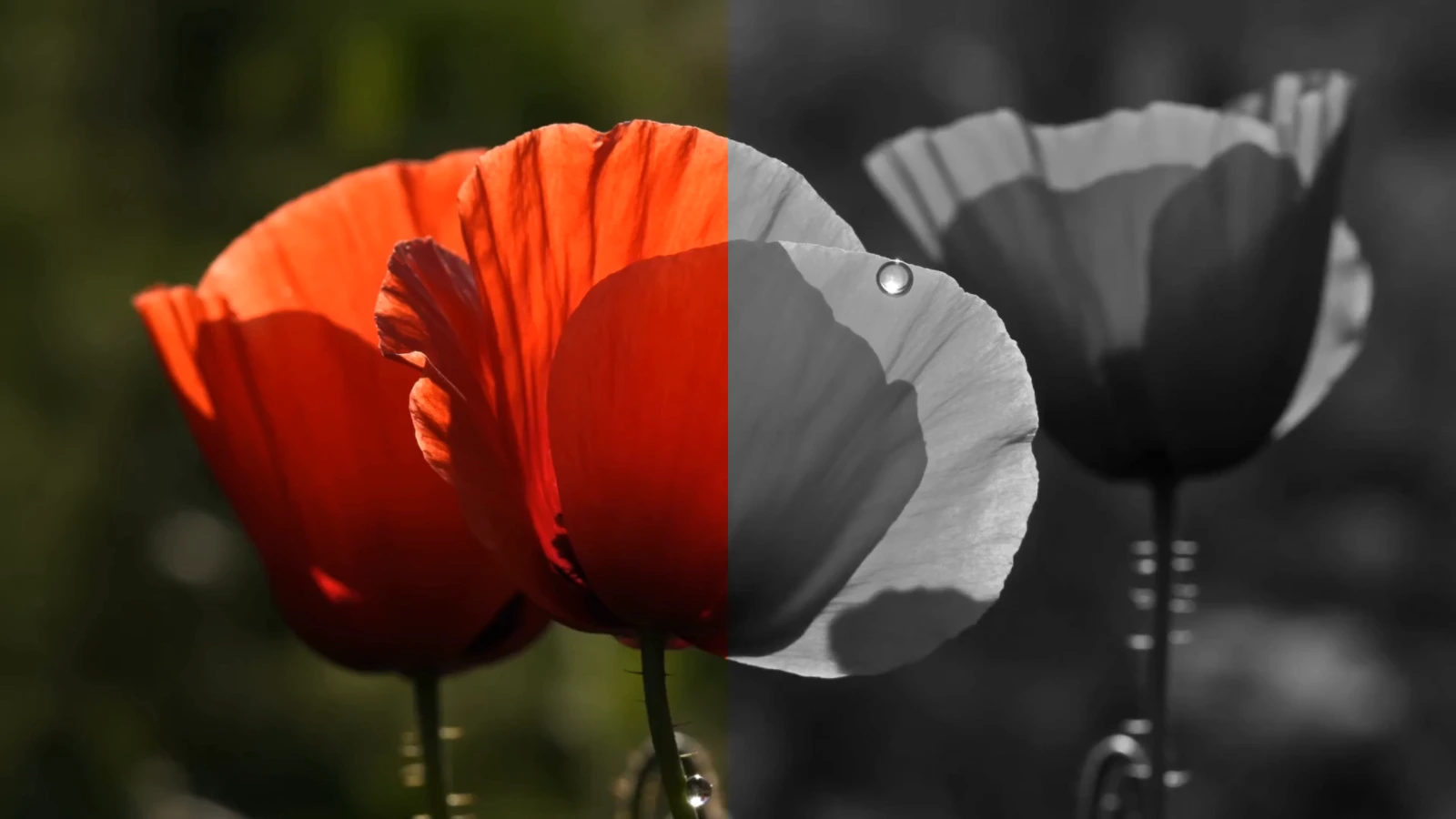
Take the colour out with the slider and compare the result with the original, then open your own video or photo and export it at full resolution. It runs in your browser: your file is never uploaded.
- Free
- No upload
- No account needed
- No watermark
- MP4, WebM, PNG, JPEG, WebP
Black and white
How to make a video black and white online
Open your video or photo
Choose Open your own file: the editor opens with the effect, ready for your file (videos as MP4, MOV, M4V, WebM, MKV; photos as JPEG, PNG, WebP, AVIF). It opens in your browser, and nothing is uploaded.
Set the amount and compare
Amount takes the colour out: all of it at 100, some of it below that. Compare shows the original beside the result; play a video to check it scene by scene.
Export it
In the editor, export the video as MP4 or WebM, or the photo as PNG, JPEG or WebP, at its full resolution, with no watermark.
All the way, or just less colour
Amount sets how far the picture turns to grey, from 0, the original, to 100, where no colour is left. In between, some of the colour stays, for a muted look between colour and black and white.
On video, every frame is converted as it plays, and the export matches the preview frame for frame.
Greys by brightness, not a plain average
Each pixel turns to the grey of its own brightness, worked out as broadcast video weighs red, green and blue (Rec. 709) and in linear light, rather than as a plain average of the three. So a blue sky stays darker than yellow flowers, much as the eye sees them.
Colours just as bright as each other turn the same grey, so a red flower can merge with green leaves of the same brightness. There are no colour filters here to lighten one colour against another, and a black and white picture often wants more contrast than the colour one: in the editor, Contrast is in Light and colour.
A black and white negative
Brightness set to Reversed turns the greys around, as an image editor's Invert does: white turns black, black turns white, and mid-grey stays mid-grey. It is a negative of the greys, not of the colours, so the result is grey rather than red turned cyan.
Below an Amount of 100, the reversed greys mix with the colour picture, for a ghostly, half-negative look.
Black and white with a film look
In the editor, Black and white sits beside grain, a vignette, halation, bloom and your own LUT. It applies after the glows, the vignette and the fade, so they turn grey with the picture, and before a LUT, scanlines, grain and dither; drag the effects into another order to change that.
Your files stay on your device
Everything happens right on your device, in your browser. Your videos and photos are opened, edited and saved there, and never sent anywhere.
Because nothing is uploaded, your files are safe: nothing can leak, and no one else, not even us, ever sees them. You don't need an account: one holds only your email address and the AI agents you let in, and signing in keeps a single cookie. An agent's instructions to your editor pass through our server and are deleted as soon as the editor has carried them out; your files never do. Without cookies, the site counts visits and a few choices, such as a preset or effect you pick and the format you export to, but never which files you open or anything in them.
Exports leave out hidden details such as where a video was recorded, and a shared link carries only your settings, never your file.
Files and browsers
Opens MP4, MOV, WebM and MKV videos and JPEG, PNG, WebP and AVIF photos, and exports MP4 or WebM, or PNG, JPEG or WebP, at full resolution, keeping the original sound where the browser can. Works in current Chrome and Edge on a computer or Android, in current Firefox on a computer and in Safari 26 or later; HDR video is converted to standard range.
A ready-made black and white look
The Black and white preset takes the colour out with Saturation rather than this effect, and adds firmer contrast, grain and a light vignette. It opens the editor with that look:
Questions about making a video black and white
More effects to try
- Film grainAdd film grain to a video or photo in your browser. On video it changes every frame. Export MP4, WebM, PNG or JPEG at full resolution. Free, no upload.
- HalationAdd a film halation effect, the red-orange glow round bright highlights, to video or photos in your browser. Export at full resolution. Free, no upload.
- GlitchAdd a glitch effect to a video or photo in your browser: bands torn sideways, colours split, blocks broken. Export at full resolution. Free, no upload.
- ASCIITurn a video or photo into ASCII art in your browser: characters in white or colour, over the picture or on black. Export at full resolution. Free, no upload.
- DitherAdd a dither effect to video or photos in your browser: ordered or noise dots, black and white or colour, 2 to 16 levels. Export at full size. Free, no upload.
- LetterboxAdd cinematic black bars to a video or photo in your browser: a letterbox for 1.85:1, 2.39:1 or up to 2.76:1. Export at full resolution. Free, no upload.
- HalftoneAdd a halftone effect to video or photos in your browser: dots that grow with the light, or mosaic tiles. Export at full resolution. Free, no upload.
- ScanlinesAdd CRT scanlines, the dark horizontal lines of an old TV screen, to a video or photo in your browser. Export at full resolution. Free, no upload.
- Rain on glassPut a video or photo behind a rainy window: drops that bend the picture, run down the glass and clear trails through the mist. Free, no upload.
- Chromatic aberrationAdd chromatic aberration to a video or photo in your browser: red and blue lens fringes that grow toward the edges. Export at full resolution. Free, no upload.
- RGB splitAdd an RGB split to a video or photo in your browser: red and blue shifted apart, like a worn videotape. Export at full resolution. Free, no upload.
- VignetteAdd a vignette effect to a video or photo in your browser: darker corners in an ellipse, a circle or the frame's rectangle. Full resolution. Free, no upload.
- BloomAdd a bloom effect, the soft glow that spreads from the brightest parts of the frame, to video or photos in your browser. Free, no upload, full resolution.
- FisheyeAdd a fisheye look to a video or photo with barrel lens distortion, in your browser. No black corners. Export at full resolution. Free, no upload.